

Learn SAS online, and unlock a new skillset that can enhance your career. SAS is an old software, but as artificial intelligence (AI) applications are becoming more important, SAS is having a resurgence. Modern SAS use cases include fraud detection and prevention, so if you learn SAS online, you could be part of fighting crime. SAS also supports the use of CDISC (Clinical Data Interchange Standards Consortium) standards, so if you learn SAS online, you could steer your expertise towards healthcare informatics.
Although SAS itself provides many educational resources about their software, it’s not so easy to use those to learn SAS online, because they are focused on specific tool use and are rather advanced. That why beginners in SAS should take my two-course SAS series on LinkedIn Learning to get started.
SAS Essential Training: 1 Descriptive Analysis for Healthcare Research is the first of my two-course series that guides you to begin programming in SAS. It will be easier for you if you have taken at least a basic statistics course, but you don’t need to be an experienced programmer to complete the course and be able to immediately do some basic analytics using SAS on your own.

Master the basics of SAS programming online
Tackle hands-on challenges with real world data
Get LinkedIn Learning course certificate
Here is what it covers:

Chapter 1: Preparing for Analysis
In this chapter, you are introduced to the Behavioral Risk Factor Surveillance System (BRFSS) dataset, which is a yearly cross-sectional health survey done by phone in the United States. You will learn how to download and unpack the data, which is stored in an *.xpt file, as well as how to trim the dataset down to just the variables you need.

Chapter 2: Applying Exclusions
This chapter shows you how to use PROC FREQ for frequencies, and how to apply inclusion and exclusion criteria so you whittle your dataset down to just the rows that qualify for your analysis. You also learn how to use SAS’s log file for ensuring your code is performing correctly, and how to keep proper documentation.

Chapter 3: Developing an Analytic Dataset
This chapter gets hardcore into data transformation and wrangling. Learn how to develop different types of variables based on the raw variables in the dataset, including collapsing categorical variable groupings, as well as aggregating continuous variables into classes.

Chapter 4: Helpful Plots
This chapter shows you how to use SAS to develop a bar chart, pie chart, histogram, box and whisker plot, and scatter plot.

Chapter 5: Categorical Descriptive Analysis
In this chapter, you learn how to do descriptive analysis with categorical variables, including how to present the results in tables that communicate clearly. You also learn how to apply chi-squared and Fisher’s exact tests.

Chapter 6: Continuous Descriptive Analysis
This chapter starts with guidance on developing a normal plot. Next, you are shown how to develop a descriptive table when working with continuous variables, and how to conduct t-tests and analysis of variance (ANOVA) in SAS.

Chapter 7: Alternative Approaches to Descriptive Analysis
This chapter covers a few specialized tools in SAS. You’ll be introduced to PROC TABULATE, SAS’s reporting tool, and as well as the Output Delivery System (ODS) which facilitates SAS output to the web.

Chapter 8: Tips and Tricks
This chapter covers some bonus manipulations that may be useful to you when doing a descriptive SAS analysis, like how to make a weighted percentage, how to develop an index variable, how to use the import wizard, how to sort and merge datasets, and how to deploy SAS’s internal SQL language.
Advanced SAS: Now You’re Ready to Build Regression Models
Once you’ve completed the first course in descriptive analysis in SAS, you’ll have working knowledge of the SAS programming interface and syntax. At this point, you are ready to try the advanced approaches covered in SAS Essential Training: 2 Regression Analysis for Healthcare Research.
Build and interpret impressive regression models
Showcase the results of your analysis
Get a head start for graduate school
Chapter 1: Preparing for Linear Regression
This chapter helps prepare you for running linear regression models. It discusses stepwise modeling approaches, how to test assumptions behind linear regression, and how to run and interpret PROC GLM.
Chapter 2: Linear Regression Modeling
The point of this chapter is to walk you through a real linear regression modeling process, including assessing model fit, and guiding you how to develop and interpret a final model.
Chapter 3: Preparing for Logistic Regression
This chapter reviews how to go from hypothesis to results using logistic regression. You’ll learn how to look at outcome distribution, and how to run a basic logistic regression model and read the output. A review of the odds ratio and how to interpret it is also included.
Chapter 4: Logistic Regression Modeling
This chapter moves on to guide you on how to use a stepwise process to fit and interpret a real model. You’ll be guided as to how to decide upon the final model, how to assess model fit, and how to keep metadata about the many models you run during the process.
Chapter 5: Model Presentation
In this chapter, you’ll learn how to transcribe the important results from your final regression models into Microsoft Excel for presentation in a final report. You’ll be shown how to professionally present your final linear regression and logistic regression models.
Chapter 6: Issues in Regression
This bonus chapter covers how to handle different issues you may encounter during regression modeling, including collinearity, adding and interpreting interactions, and utilizing the -2 log likelihood in logistic regression.
.
Chapter 7: Regression Tips
This final bonus chapter guides you into data transformations that can kick your regression models up a notch, including how to collapse categories, how to make indicator variables for ordinal variable levels, and what to think about when choosing a reference group.
Check out my courses and books!
Biostatistics for Dummies: The Thinking Data Scientist’s Quintessential Professional Reference
“Biostatistics for Dummies” is the thinking data scientist’s essential reference. Check out the updated 2024 [...]
Sep
Data Curation Course: Learn Data Curation Online from LinkedIn Learning!
Curation files are especially helpful for communicating about data on teams. Learn more about what [...]
Oct
Study Design Courses: Online Learning about Research Methods
Study design courses that you can access online will hand you a framework for research [...]
Sep

Learn R Online: Take it at Your Own Pace
Learn R online and tackle statistical problems easily with open source software! Take my LinkedIn [...]
Sep
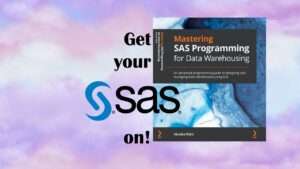
Announcing the Publication of my New SAS Book on Data Warehousing
SAS is known for big data and data warehousing, but how do you actually design [...]
Oct

Learn SAS Online, and Expand your Career Opportunities
Learn SAS online, and extend your expertise so you can take on new projects. Take [...]
Sep
Testimonials for Monika Wahi’s Linked In Data Science Courses
Testimonials for Monika Wahi’s data science courses on LinkedIn Learning are posted here. Read what [...]
Apr
Learn SAS online, and extend your expertise so you can take on new projects. Take my LinkedIn Learning courses and get comfortable using the SAS interface and syntax.
